Privacy Policy
Solo Miner Log Manager for Windows · Last updated: 29 October 2026
Solo Miner Log Manager (“the app”) is a logging and management tool for Bitaxe and NerdAxe Bitcoin miners on your local network. It is published by Coolin & Serversoup for Windows (Microsoft Store). This policy explains what the app does and does not do with your information.
Summary
The app does not collect, transmit or share any personal data with the developer or any third party. It has no accounts, no advertising and no analytics or tracking. It works between your PC and the miners on your own network. The only way anything leaves your PC is the optional email alert feature, which is off by default and sends only to a mail server that you choose (see “Optional email alerts” below).
Information stored on your PC
The app stores the following on your PC only:
- Log files: the miner status readings, miner firmware logs and event records the app collects. They are saved in a folder on your PC (by default
BitaxeLogs in your user folder, or any folder you choose) until you delete them, or until the optional automatic clean-up removes old ones.
- Settings: the list of miners you add (their IP addresses or hostnames), any names you give them, and your preferences, in the app’s own local data folder. If you set up email alerts, this also includes the mail server address, port, user name and the “from” and “to” email addresses you enter.
- Mail password: if you save one, Windows stores it, encrypted for your user account, in the Windows Credential Vault. It is not in the settings file or the logs.
The app removes pool addresses, pool account names, WiFi network names and similar details from the logs it writes, and never displays them. Pool settings are managed on each miner’s own web page, not in this app.
Network communication
The app sends requests only to:
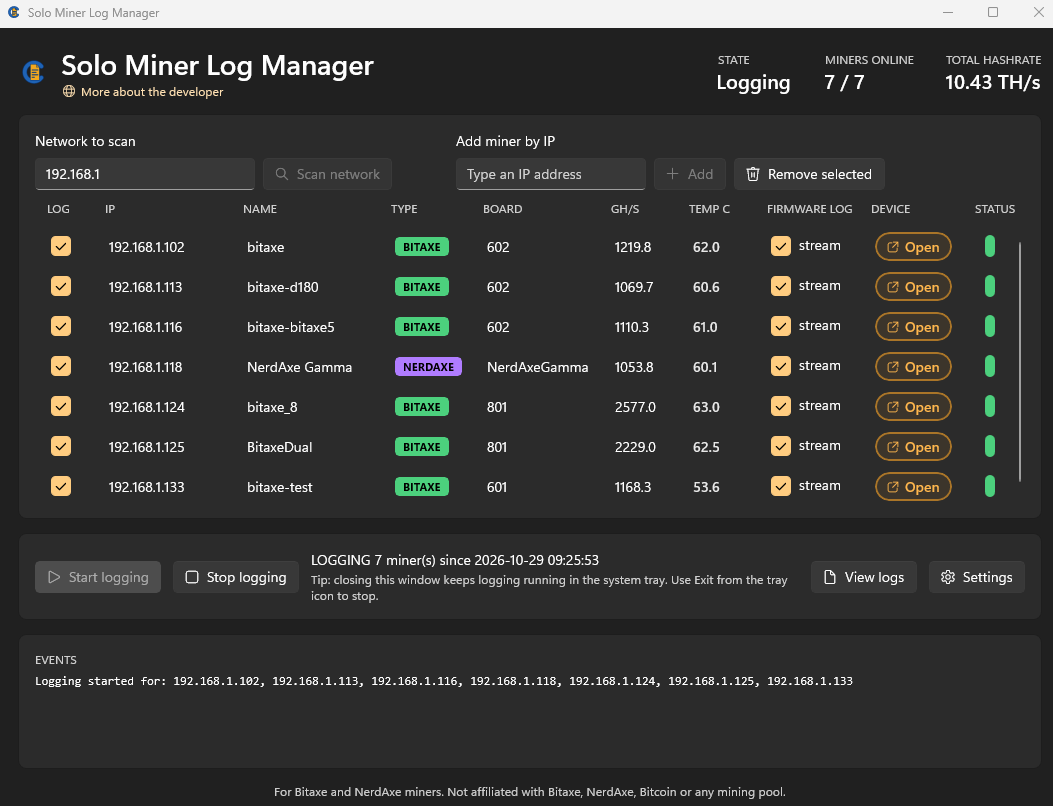
- Miners you have added, to read their status and firmware log, and, when you use a miner’s control window, to send the actions and settings you choose.
- Addresses on the network ranges you enter when you use “Scan network”, to find Bitaxe and NerdAxe devices.
These requests go directly from your PC to devices on your own network. They do not pass through any server operated by the developer. Bitaxe devices serve their API over unencrypted HTTP, so traffic between your PC and your miners is not encrypted; keep your Wi-Fi network secured.
Optional email alerts
Email alerts are off unless you switch them on and enter a mail server in Settings. When on, the app sends an email through that server whenever a miner stops responding or comes back. Each email contains the miner’s name (the name you gave it, or the name the miner reports), its IP address, what happened and the time. The email goes directly from your PC to the mail server you entered, and that server passes it on to the address you chose. It does not go through any server operated by the developer, and the developer never receives it or a copy of it.
If you choose STARTTLS or SSL (STARTTLS is recommended), the connection from your PC to your mail server is encrypted. If you choose “None”, the email and your password are sent unencrypted, and if your mail server is not on your own network they cross the internet in plain text. What happens to an email after it reaches your mail server (storage, forwarding, encryption between mail servers, who can read the mailbox) is up to that server and the recipient’s mail provider. Only use a mail server and an address you trust. The app sends at most 20 alert emails an hour.
Website link
The app has a “More about the developer” link. It does nothing until you click it; clicking it opens this website in your web browser, which then has its own practices.
Deleting your data
Everything the app stores is on your PC and under your control. You can read the logs in the app or any text editor and delete them at any time. The app also has a “Delete all logs and reset” button that deletes its log files and clears its settings, including the saved mail password. Please use it before uninstalling if you want nothing left behind: Windows removes the app and its settings when you uninstall, but does not remove a log folder you can see on your PC.
Permissions
- Network access (internet client and private network): to contact your miners on your local network.
- Full trust (Windows desktop app): so the app can keep running in the background with a tray icon and write log files to the folder you choose.
The app does not request access to your location, contacts, camera, microphone or photos.
Children
The app is not directed at children and does not knowingly collect information from anyone.
Third-party services
The app includes the open-source MailKit library (MIT licence), used only to send the optional alert emails; it sends nothing anywhere on its own. The app includes no third-party advertising, analytics or crash-reporting services. The Microsoft Store may collect standard install and crash statistics under its own privacy policy; the developer receives only aggregated reports from the store.
Changes
If this policy changes, the updated version will be published at this address with a new “last updated” date.
Contact
Questions about this policy: dev@coolin.co.uk